
This is a quick overview of the interface that you will encounter on the back-end.
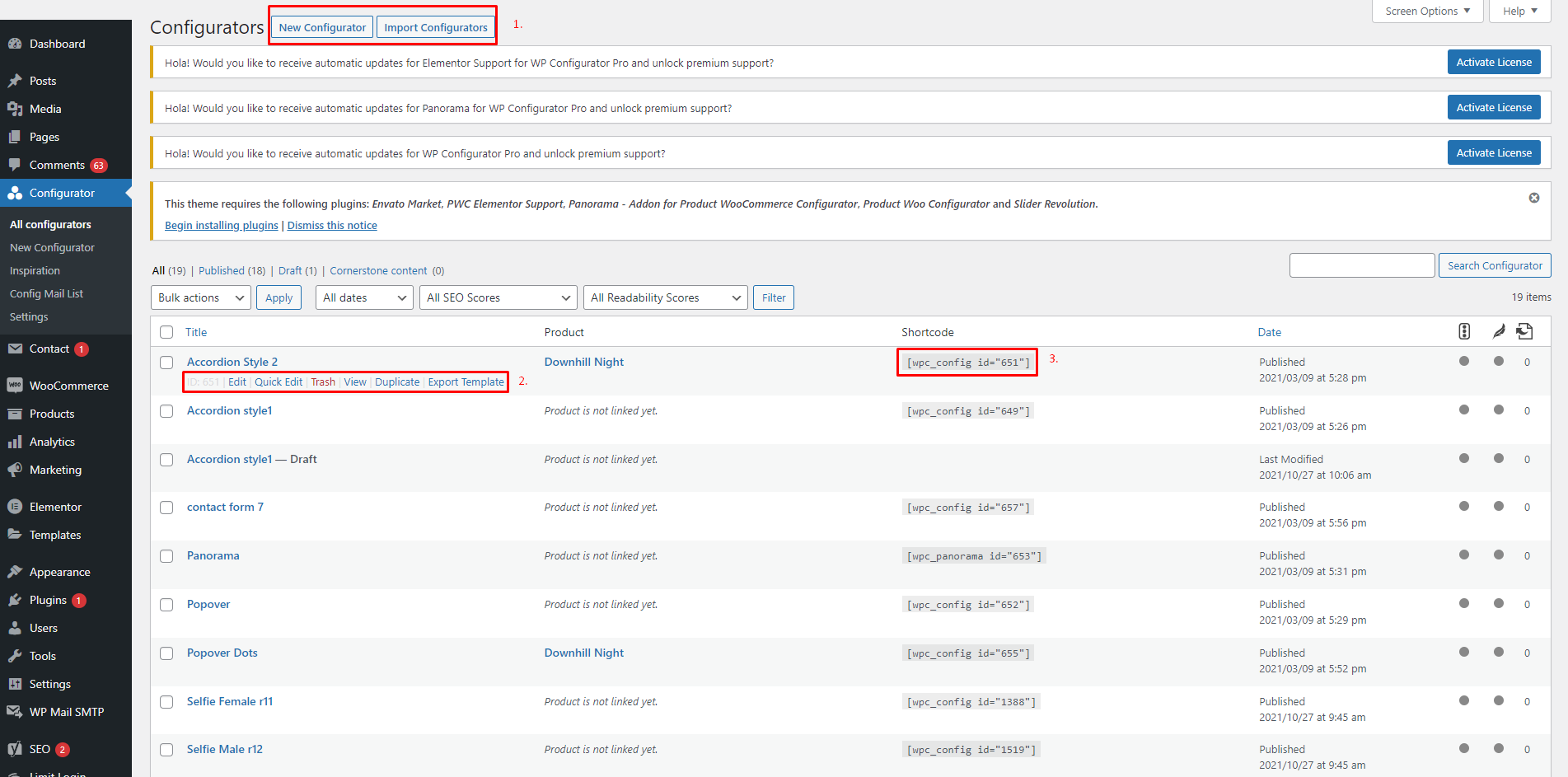
- Add New Configurator and Import Configurators – You can easily click the new configurator button if you want to add a new configurator product there will be a pop-up once the button is clicked. The import configurator button is for importing a JSON containing a file of the configurator.
- Quick Settings – The quick settings are composed of ID Number, Edit Configurator, Quick Edit, Trash, View, Duplicate, and Export Template.
- Short Code – This is where you can get your shortcode. This is an automatic shortcode generator.