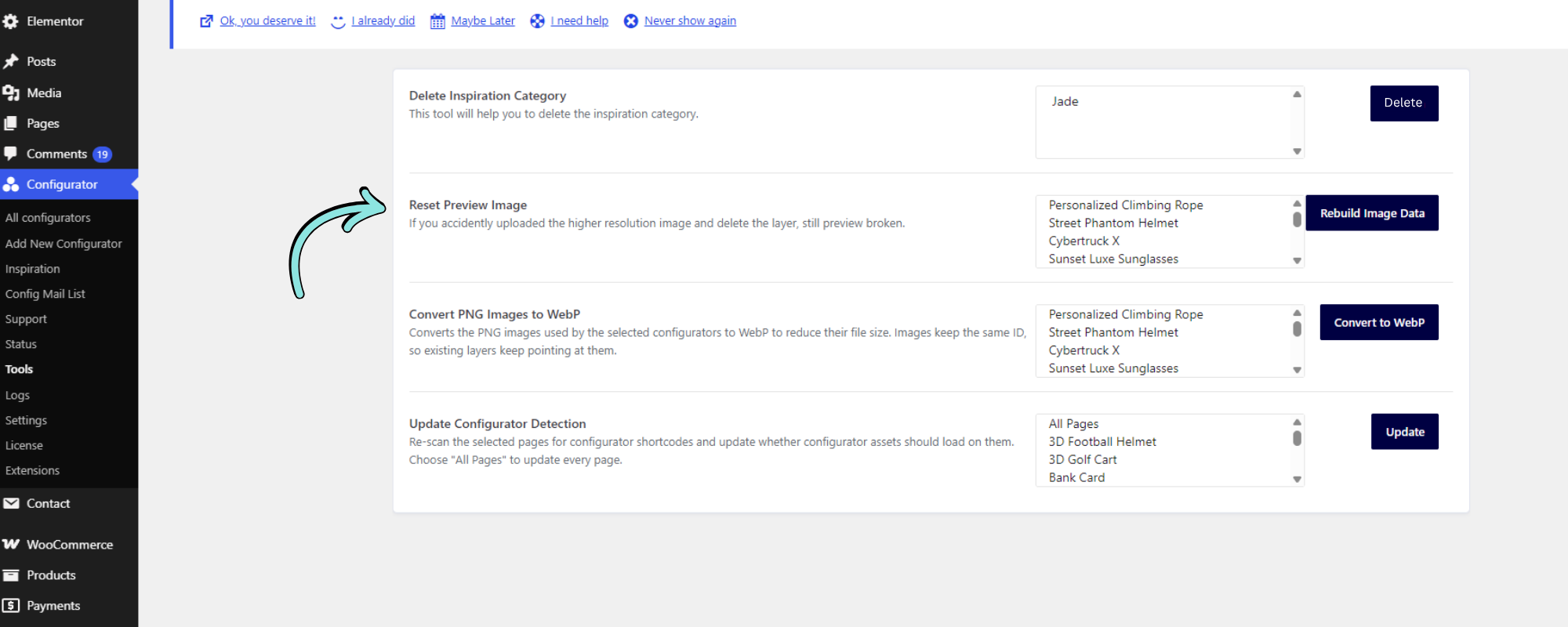
The Reset Preview Image tool helps rebuild preview image data when a configurator preview is no longer displaying correctly.
This can be useful if you accidentally uploaded a higher-resolution image and then deleted the layer associated with it, causing the configurator preview to become broken.
How to Reset the Preview Image
- Go to Configurator → Tools.
- Locate Reset Preview Image.
- Select the configurator you want to repair.
- Click Rebuild Image Data.
- Check the configurator preview to confirm that the image is displaying correctly.