
WP Configurator Pro

⌘K
  1. Home
  2. WP Configurator Pro
  3. Default Settings of the p...
  4. Design Options
  5. Floating Icons for design options

Floating Icons for design options

This option is for the Floating Icons feature of the Configurator Page. You can change the Icon Color and the Icon Hover Color.

For example, We will set the icon color to blue and the icon hover to violet then hit save.
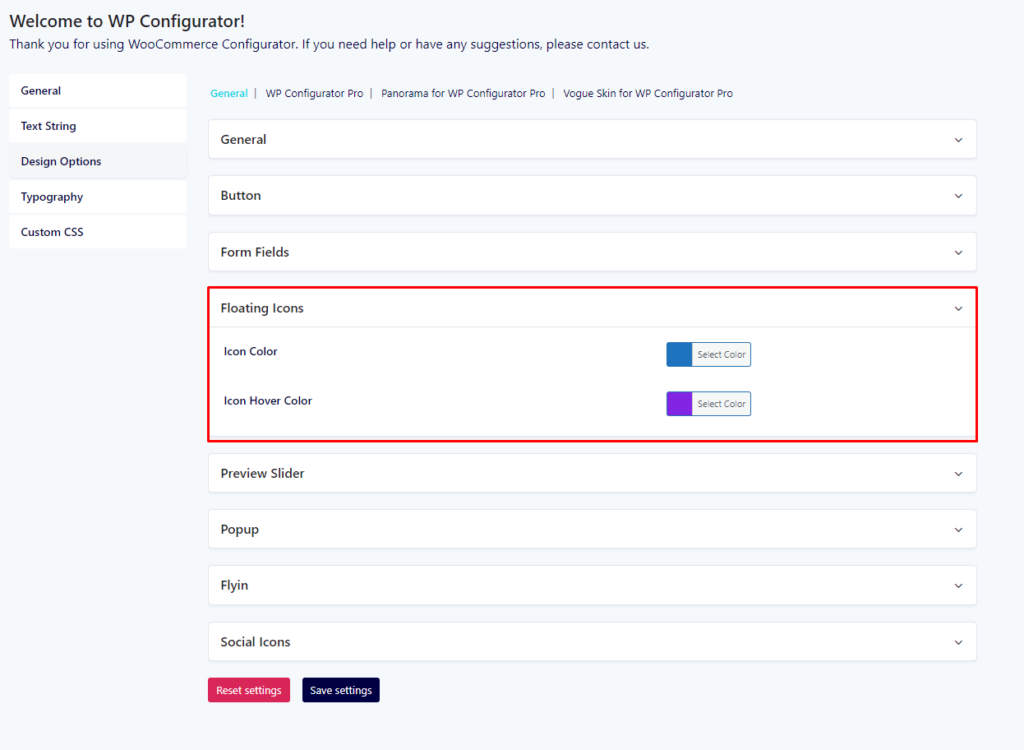
WP Configurator Pro Plugin DesignOptions FloatingIcons Color

These options will display the result on the front end of the configurator page. Please see the screenshot below:
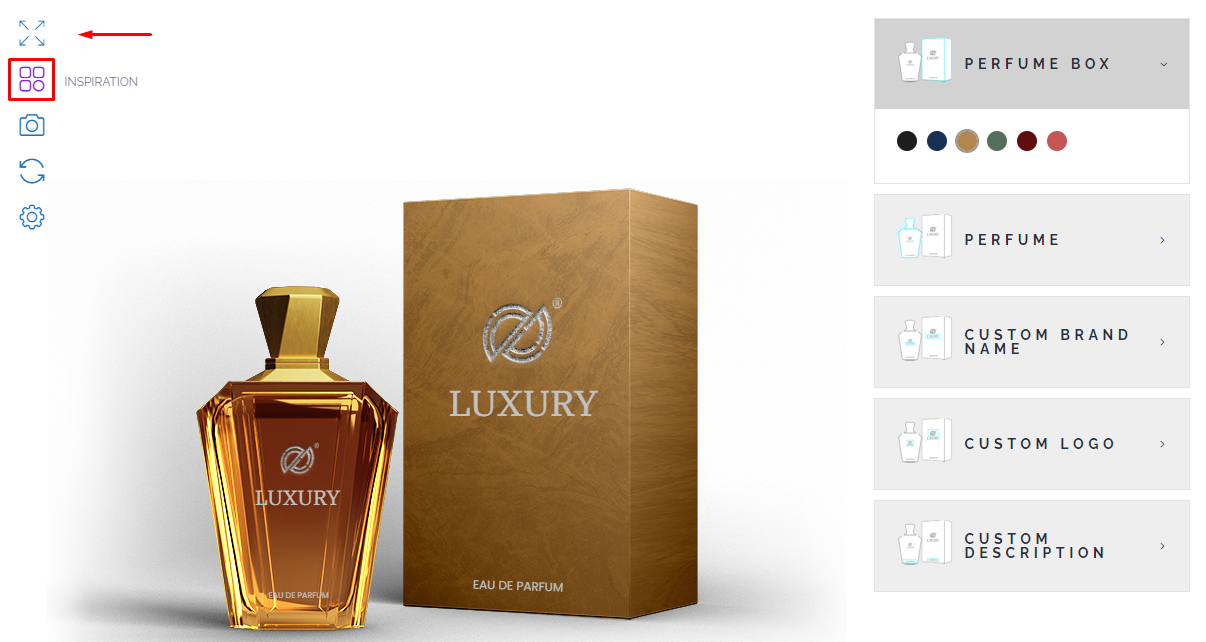
WP Configurator Pro Plugin DesignOptions FloatingIcons Color Front

How can we help?