
The Title Bar section in the Furniture theme Customizer allows you to manage how the title bar appears across different parts of your website. It includes controls for enabling or disabling the title bar globally or for specific sections such as blog, shop, archives, and more.

Accessing Title Bar Settings
-
From your WordPress dashboard, go to Appearance → Customize.
-
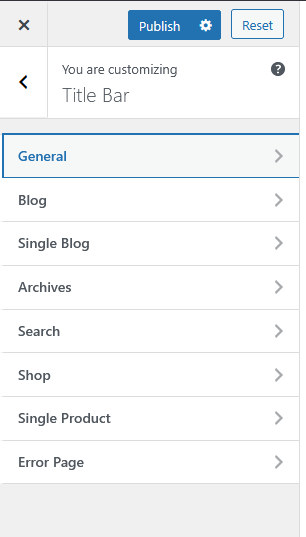
In the Customizer panel, select Title Bar.
You’ll find several subsections that let you configure the title bar appearance for various pages:
-
General
-
Blog
-
Single Blog
-
Archives
-
Search
-
Shop
-
Single Product
-
Error Page
General Settings
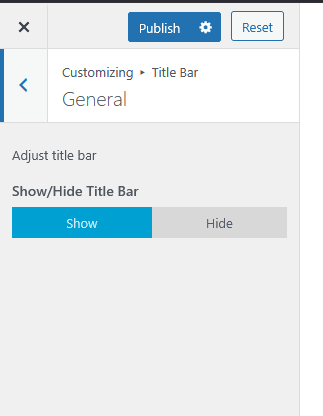
The General section allows you to manage the global visibility of the title bar.
-
Show/Hide Title Bar – Choose whether to display or hide the title bar across all pages.
-
Show: Displays the title bar site-wide.
-
Hide: Removes the title bar completely.
-
This option gives you the flexibility to maintain a consistent look or opt for a minimalist design by hiding the title bar entirely.
Page-Specific Settings
For more control, you can adjust the title bar display individually for various sections such as:
-
Blog Pages
-
Shop and Product Pages
-
Search and Archive Pages
-
Error Page (404)
Each subsection follows the same simple structure — letting you show or hide the title bar as needed for that page type.