
The Furniture Theme gives you the flexibility to manage and display your social media icons directly from the WordPress Customizer. This allows your visitors to easily connect with your brand on different social media platforms.
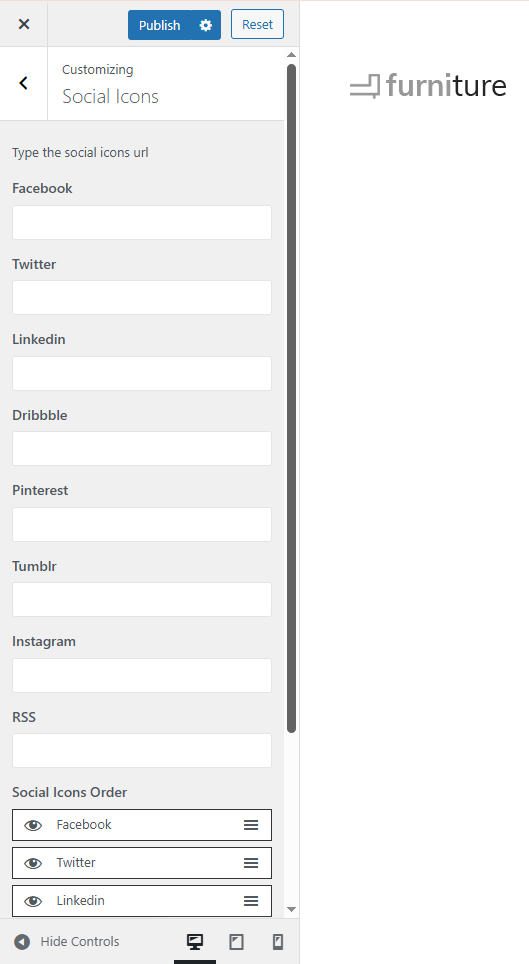
Accessing Social Icons Settings
-
Navigate to your WordPress Dashboard.
-
Go to Appearance → Customize.
-
From the customization panel, select Social Icons.
Adding Your Social Media Links
Within the Social Icons section, you’ll find fields for multiple social media platforms, including:
-
Facebook
-
Twitter
-
LinkedIn
-
Dribbble
-
Pinterest
-
Tumblr
-
Instagram
-
RSS
Simply paste your social media profile URL into each corresponding field. Leave any field blank if you don’t want that icon to appear on your site.
Adjusting Social Icons Order
You can also arrange the order in which your social icons appear on the website:
-
Use the drag-and-drop handle (☰) beside each platform to reorder the icons.
-
Click the eye icon to show or hide any social media icon from display.
Publishing Your Changes
Once you have finished adding or arranging your icons:
-
Click the Publish button at the top to save your settings.
-
Your social icons will now appear on your site header, footer, or wherever the theme’s social icons are displayed.