
The Blog section allows you to configure the layout and appearance of your website’s blog page.
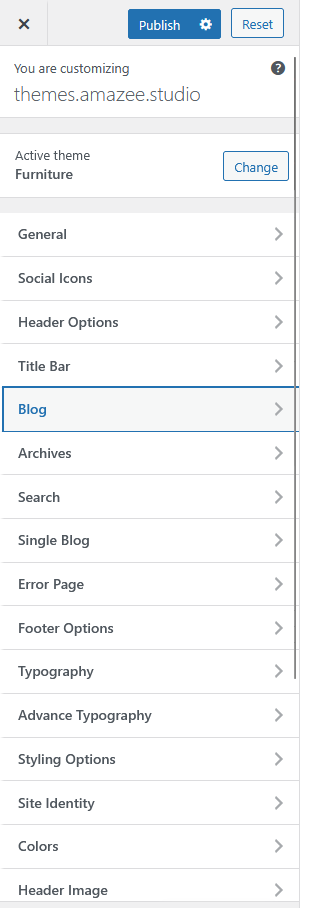
Steps to Access
-
Go to your WordPress Dashboard.
-
Navigate to Appearance → Customize → Blog.
-
Adjust the available settings as needed.
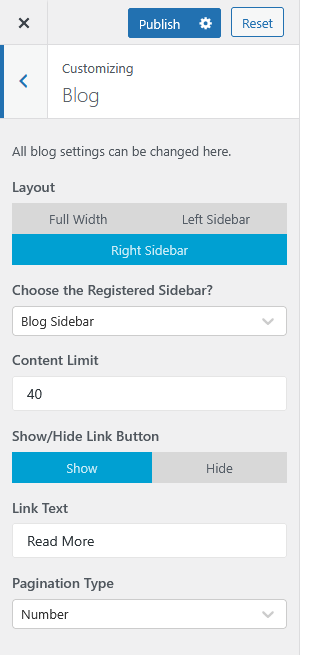
Available Options
| Setting | Description |
|---|---|
| Layout | Choose your preferred blog layout: Full Width, Left Sidebar, or Right Sidebar. |
| Choose the Registered Sidebar? | Select the sidebar to display on your blog page (e.g., Blog Sidebar). |
| Content Limit | Define the number of words or characters to display in the blog excerpt. |
| Show/Hide Link Button | Toggle the visibility of the “Read More” link on blog posts. |
| Link Text | Customize the text for the “Read More” link. |
| Pagination Type | Choose the pagination style — Number, Next/Previous, or other available options. |