
Feature Summary:
This custom functionality enhances the default behavior of WP Configurator by ensuring that all required options within a subgroup must be selected—rather than just one—before the user can proceed.
Feature Background
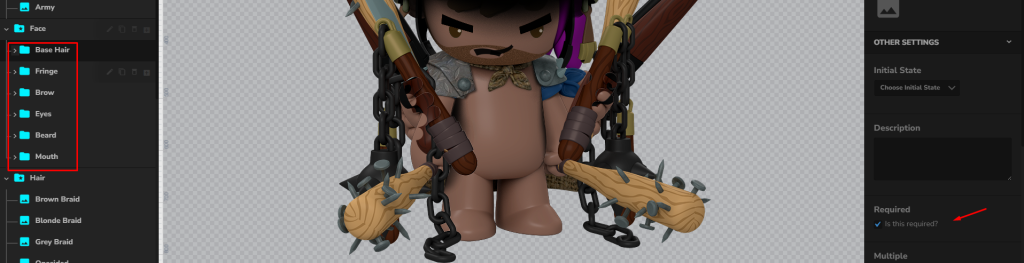
By default, WP Configurator allows you to set a group as required, which means the user must select at least one option in that group. However, this does not enforce required selections for every option inside subgroups.
This custom solution was developed to meet that specific requirement:
- All required options within each subgroup must be selected before proceeding.
How It Works
-
Each required subgroup is checked individually.
-
Validation ensures that all mandatory options in each subgroup are selected by the user.
-
If any required option is missing, the configurator will:
-
Prevent the user from proceeding to the Cart page or sending a Quote.
-
Display a visible warning message above the product.
-

Download & Install the Plugin
- Go to your WordPress Dashboard.
- Navigate to Plugins > Add New.
- Click Upload Plugin, then select the downloaded file.
- Click Install Now, then Activate the plugin.
Steps to Ensure Proper Functionality
To make sure the custom plugin works smoothly on your site, please follow these steps:
-
Remove Old Snippet
If you previously implemented a snippet from our documentation for “Setting Group as Required,” you may now safely delete it. This functionality is now handled by the custom plugin. -
Create a Backup (Recommended)
We’ve developed a custom plugin specifically to validate all required options within subgroups. Since it only performs this validation, a backup before installation is not strictly necessary.
However, we strongly recommend creating a database backup as a precaution in case any issues arise during the process. -
Clear Cache
– Clear your browser cache.
– Clear your WordPress/site cache using your caching plugin, if applicable. -
Test the Configurator
– Visit the product page with subgroups.
– Try proceeding without selecting all required options.
– The configurator should now prevent submission until every required option within each subgroup is selected.
Need Modifications?
If you’d like to adjust how errors are displayed or which elements are validated, please contact support for custom work.