
Overview
This documentation provides guidance on implementing a feature that ensures any hidden group in the WP Configurator is excluded from the summary details included in the “Request a Quote” emails sent to both customers and administrators.
The goal is to prevent non-visible or conditional configuration groups from appearing in the quotation summary, maintaining clarity and relevance in the communication.
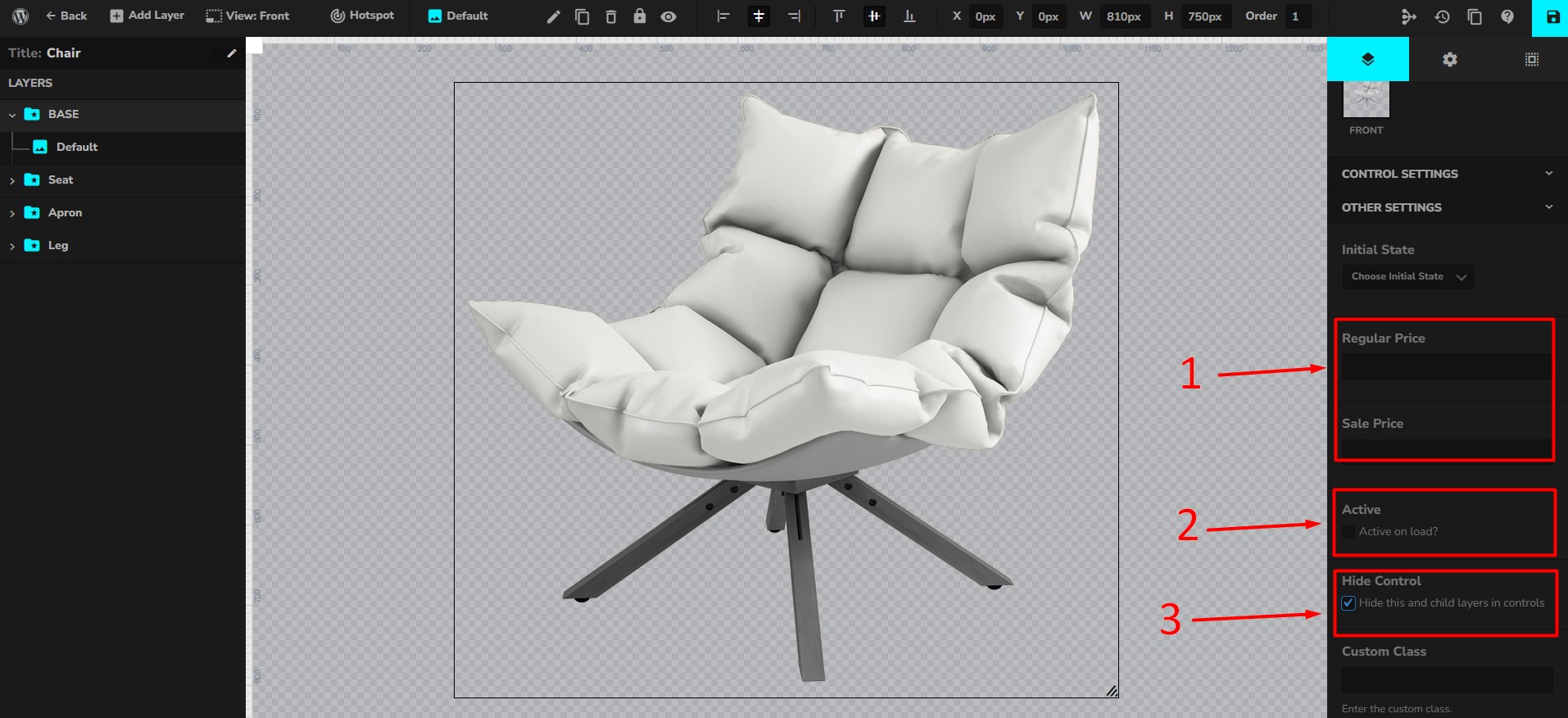
Note: The group must be set to be hidden, have no cost, and set to not active, then it will be hidden.
Steps to Implement the Feature
1. Create a Child Theme
Skip this step if you already have a child theme.
A child theme ensures your customizations are safe from being overwritten when the parent theme is updated.
You have two options to create one:
Option A: Manual Creation
-
From your WordPress dashboard, go to:
Appearance → Theme File Editor → Select Child Theme (if available)
(Or create a child theme manually in/wp-content/themes/) -
Ensure the child theme is activated.
Option B: Use a Plugin (Recommended for Beginners)
-
Install and activate the Child Theme Configurator plugin from the WordPress Plugin Directory.
-
Follow the plugin wizard to create your child theme in just a few clicks.
Once your child theme is ready and active, proceed with creating the override file.
2. Create the Template Override
You need to create a folder and file inside your child theme to override the configurator’s summary template.
Option A: Using WP File Manager (Recommended for Quick Access)
-
Install and activate the WP File Manager plugin from the WordPress Plugin Directory.
-
In your WordPress dashboard, go to WP File Manager ( found in the left menu).
-
Navigate to:
-
Right-click inside the folder area → Create new folder → Name it:
-
Right-click inside the
configuratorfolder, upload the template named:Note that path should be:
your-child-theme/configurator/summary.php
3. Test the Override
- Configure a product with some groups hidden. The group must be set to be hidden, have no cost, and set to not active, then it will be hidden in the email summary.
2. After having configured options in your product page customizer, submit a Request a Quote.
3. Check both the customer and admin emails to ensure hidden groups are excluded from the summary.
Expected Result
With this override in place, the system will filter out hidden groups before rendering the summary in the “Request a Quote” emails, showing only relevant visible options.