
Panorama Skin Upgrade Guide
If you’re wondering how to switch your previous Bera purchase to the new version of Panorama Skin, follow these simple steps:
Steps to Upgrade:
- Log in to your my.wpconfigurator.com account.
- Navigate to the License Key tab.
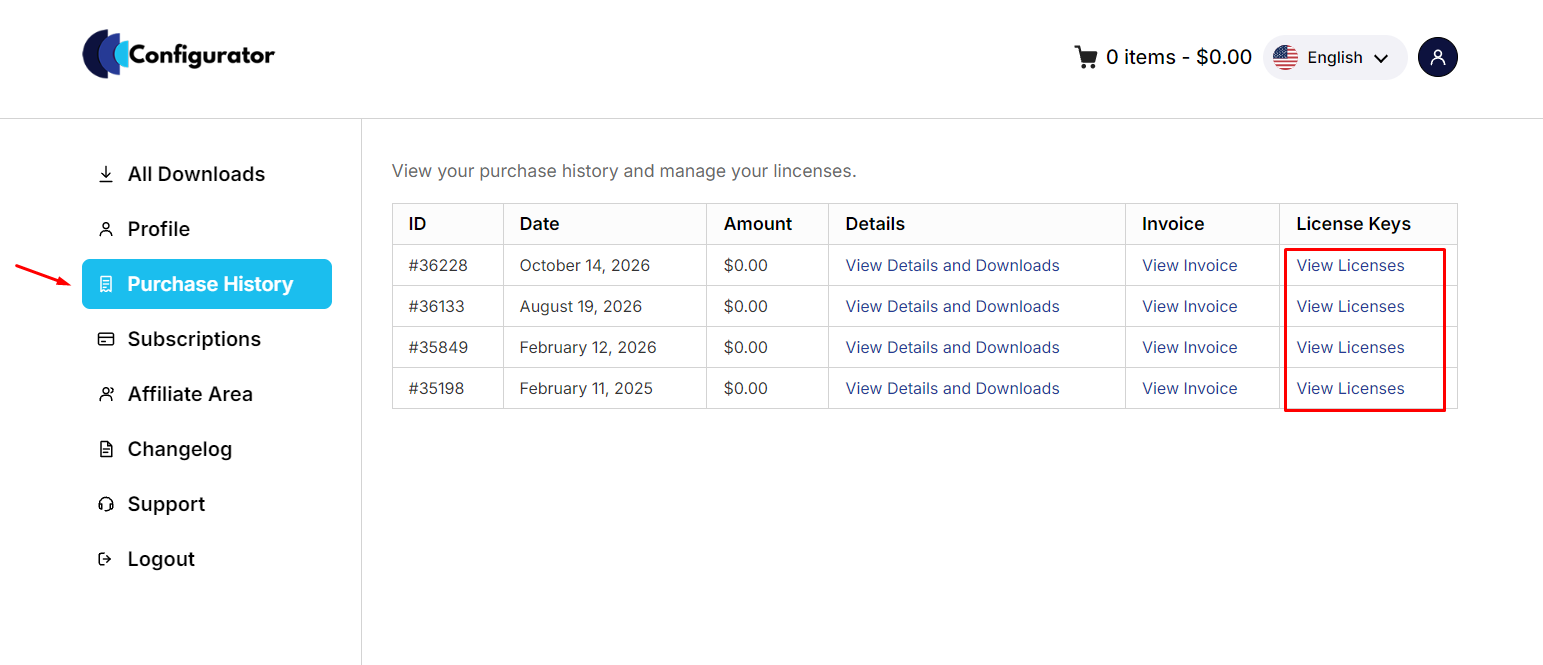
- Locate the Bera Skin License details and click on the “View Upgrades” link.
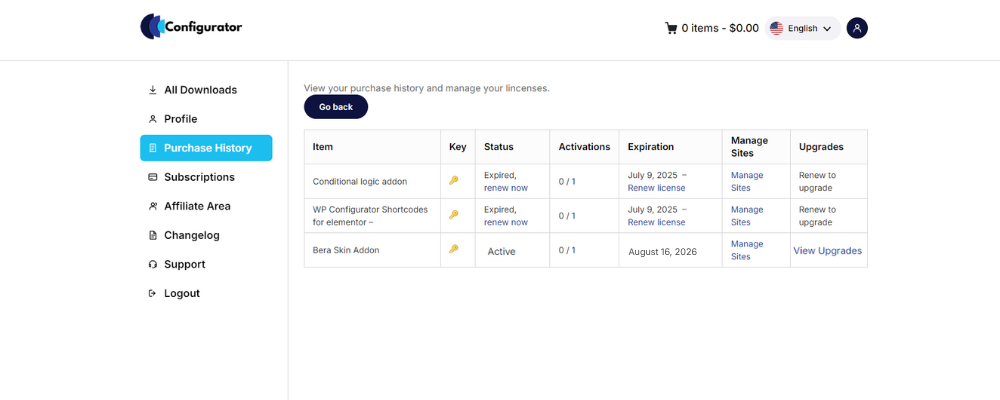
- Your purchase history will be displayed. Scroll to the bottom to find the Panorama Skin Upgrade License options available at no cost.
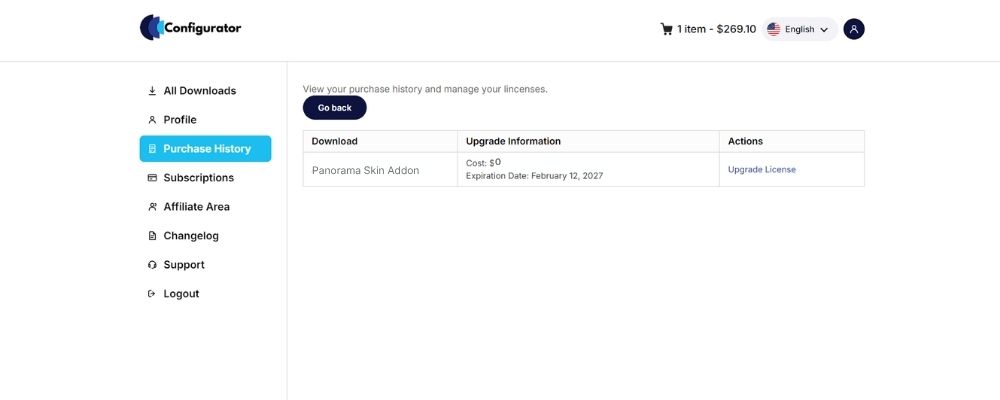
By following these steps, you can seamlessly upgrade to Panorama Skin without any additional charges.