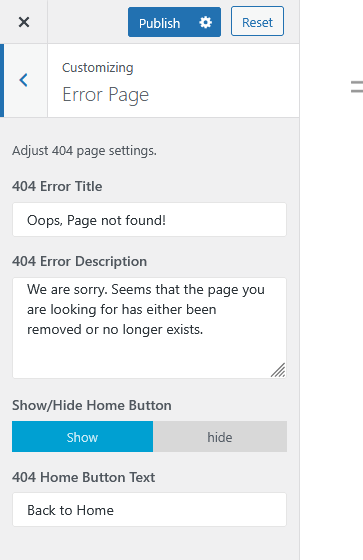
The Error Page section in the WordPress Customizer allows you to modify the appearance and content of your website’s 404 error page.
How to Access
Go to
Appearance → Customize → Error Page
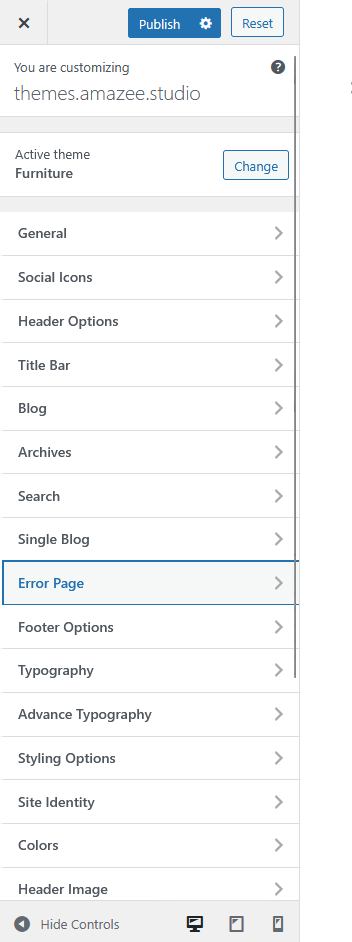
Available Settings
- 404 Error Title
Customize the title text displayed on your 404 page.
Example:Oops, Page not found! - 404 Error Description
Modify the description text to provide visitors with more information when they reach a missing or broken page.
Example:We are sorry. Seems that the page you are looking for has either been removed or no longer exists. - Show/Hide Home Button
Toggle the visibility of the “Back to Home” button on your error page.- Show – Displays the button.
- Hide – Hides the button.
- 404 Home Button Text
Edit the label of the home button that redirects visitors to the homepage.
Example:Back to Home