Skip to content
-
Home
-
Furniture Theme
- Set up your Furniture Theme
- After installing and activating your Furniture Theme, install all required plugins.
- On the top of your theme’s page, you will see list of required plugins needed to install, so you can maximize the use of the WP Configurator Theme.
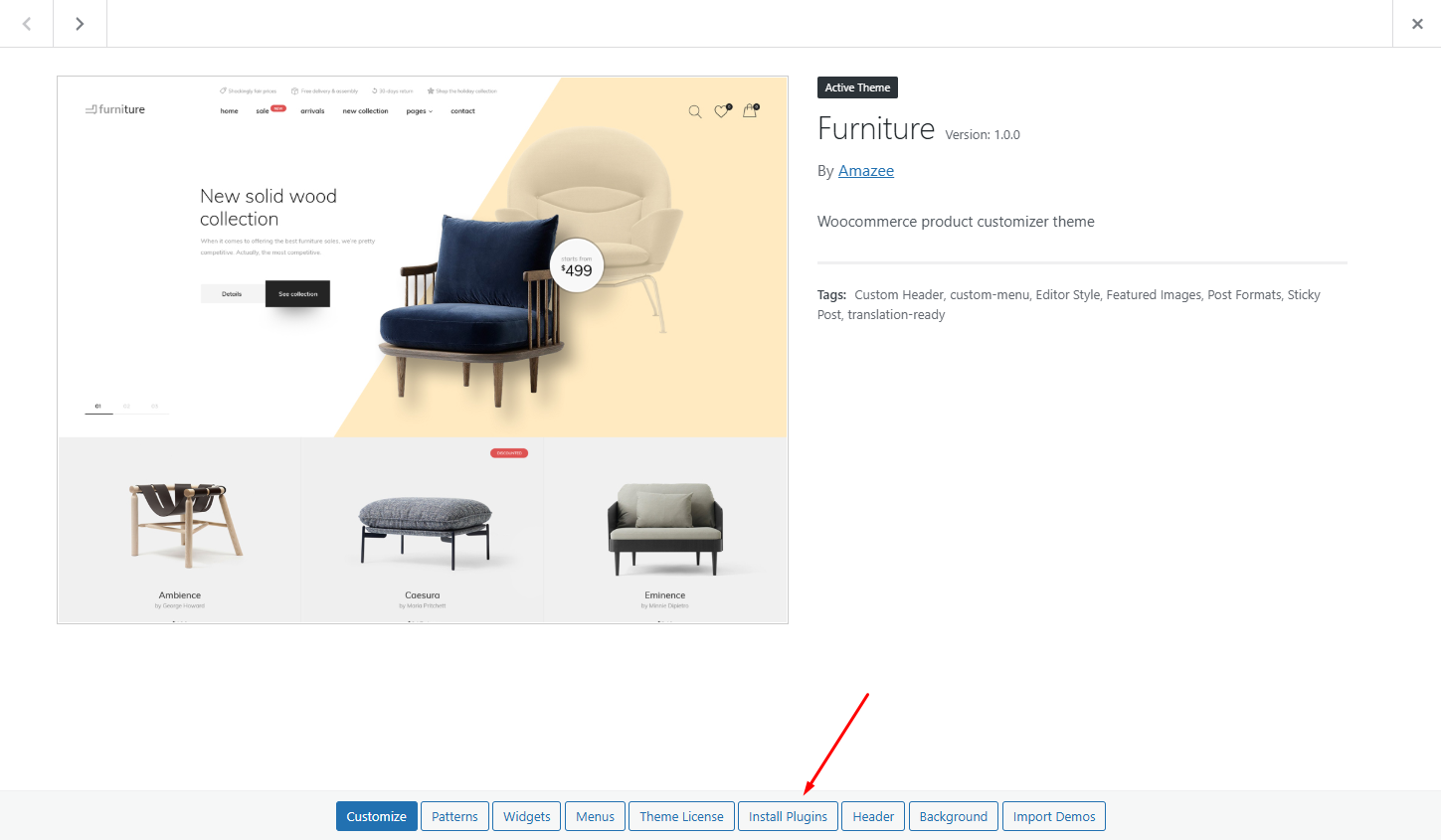
- Or you can click ‘Install Plugins’ button below Furniture theme
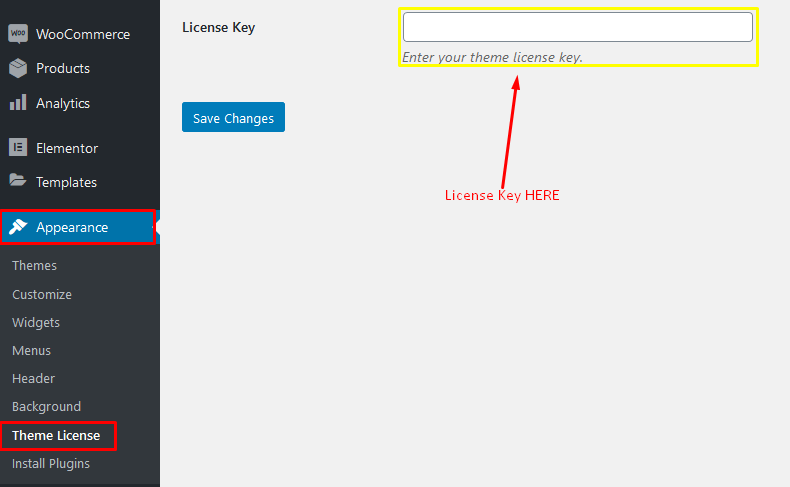
- After installing all required plugins, you go to Theme License tab and add your License Code upon purchase.
- Just go to Appearance > Theme License Please see screenshot below: