What is Ryota Skin?
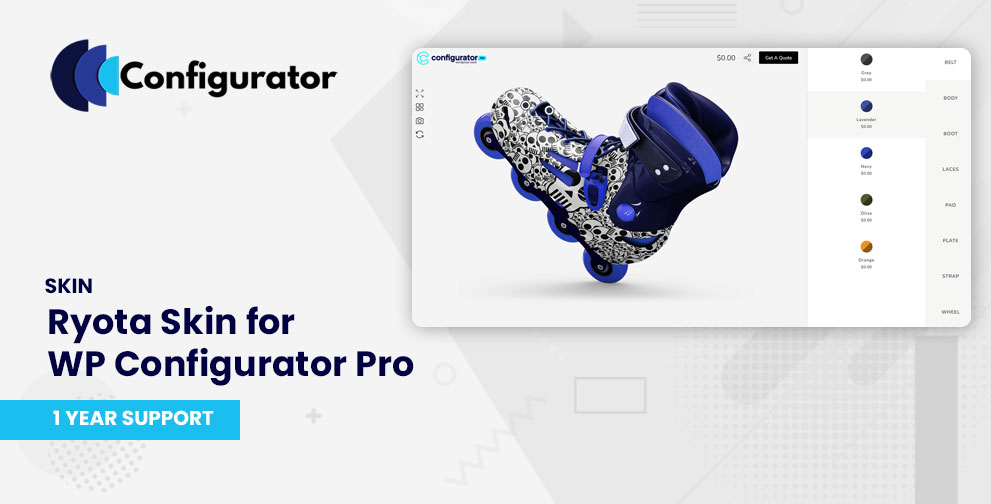
Ryota Skin is a premium template/skin for WP Configurator Pro designed for technical, automotive, and component-based products. It emphasizes a clean, modular interface where each part or sub-component can be configured in a structured manner.
Ryota uses a right-panel layout where group controls are vertically aligned, and sub-controls open in an intuitive accordion or fly-out style. This design helps users focus on one section at a time, reducing interface clutter and improving usability for complex products.
Key Features of Ryota Skin
- Part-by-part navigation — users can configure individual components of a product stepwise.
- Right-panel control layout — keeps the product preview central and options accessible on the side.
- Clean and minimal styling — designed to minimize distraction and highlight customization.
- Mobile responsiveness — ensures that even on smaller screens, the UI remains accessible and legible.
- Supports Add-ons seamlessly — works with Custom Field/Add-on, Range pricing, Inventory, Conditional logic, etc.
When to Use Ryota Skin
Use Ryota Skin when your product configurator involves:
- Many discrete parts or subcomponents (e.g. automotive parts, electronics, modular systems)
- A need for clear separation of options (so users aren’t overwhelmed by everything at once)
- A visual-first workflow, where the product preview should remain unobstructed
- Complex customization flows that require popup or accordion sub controls
- A brand or product line in technical, electronics, automotive, or industrial domains
Installation & Activation
- After purchase, download the Ryota Skin files.
- In your WordPress admin, go to the Plugins page and upload the Ryota Skin file and activate it.
- Ensure WP Configurator Pro is installed and active.
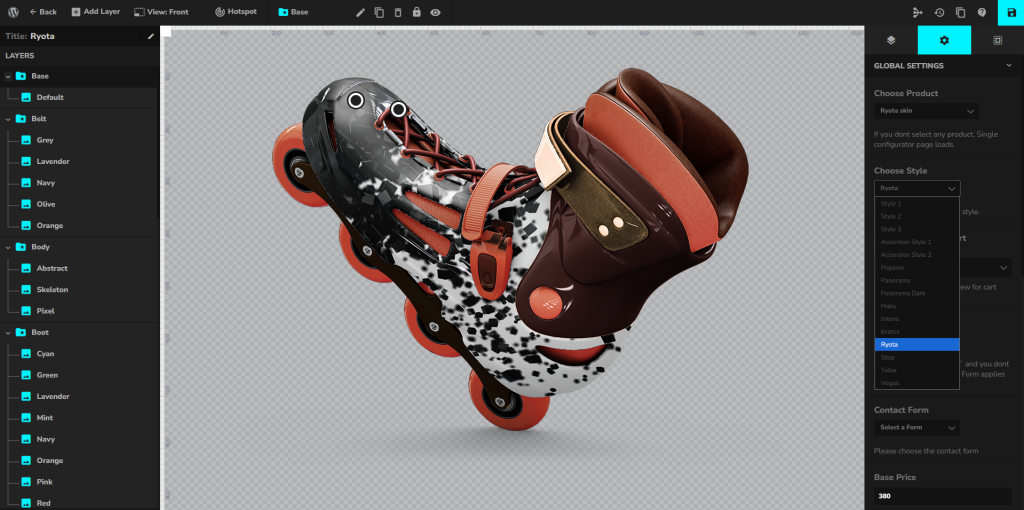
- Go to your Configurator Product → Global Settings → Choose Style
- Choose Ryota Skin and save it.