
- Download the Inventory Management Add-on package from your my.wpconfigurator.com
- From your WordPress dashboard, go to Plugins → Add New → Upload Plugin.
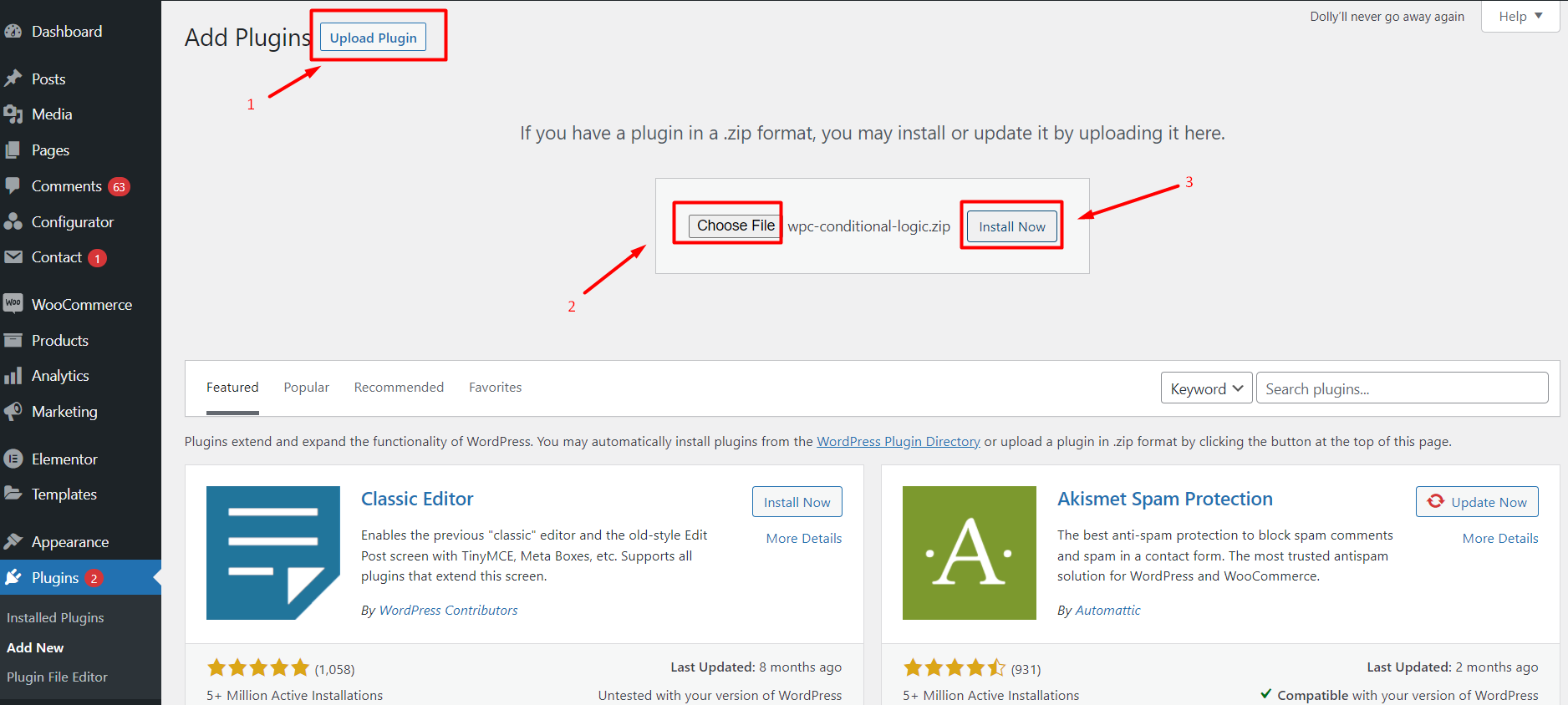
- Upload the add-on
.zipfile and click Install Now. - Once installed, click Activate.
- You will now see Stock Management settings inside the product configurator editor.