
Here, the same way you installed WP Configurator Pro. Just download the zip file you received and upload it into your WordPress Admin Dashboard. Go to Plugin> Add New> Upload New> Upload the zip file as shown here:
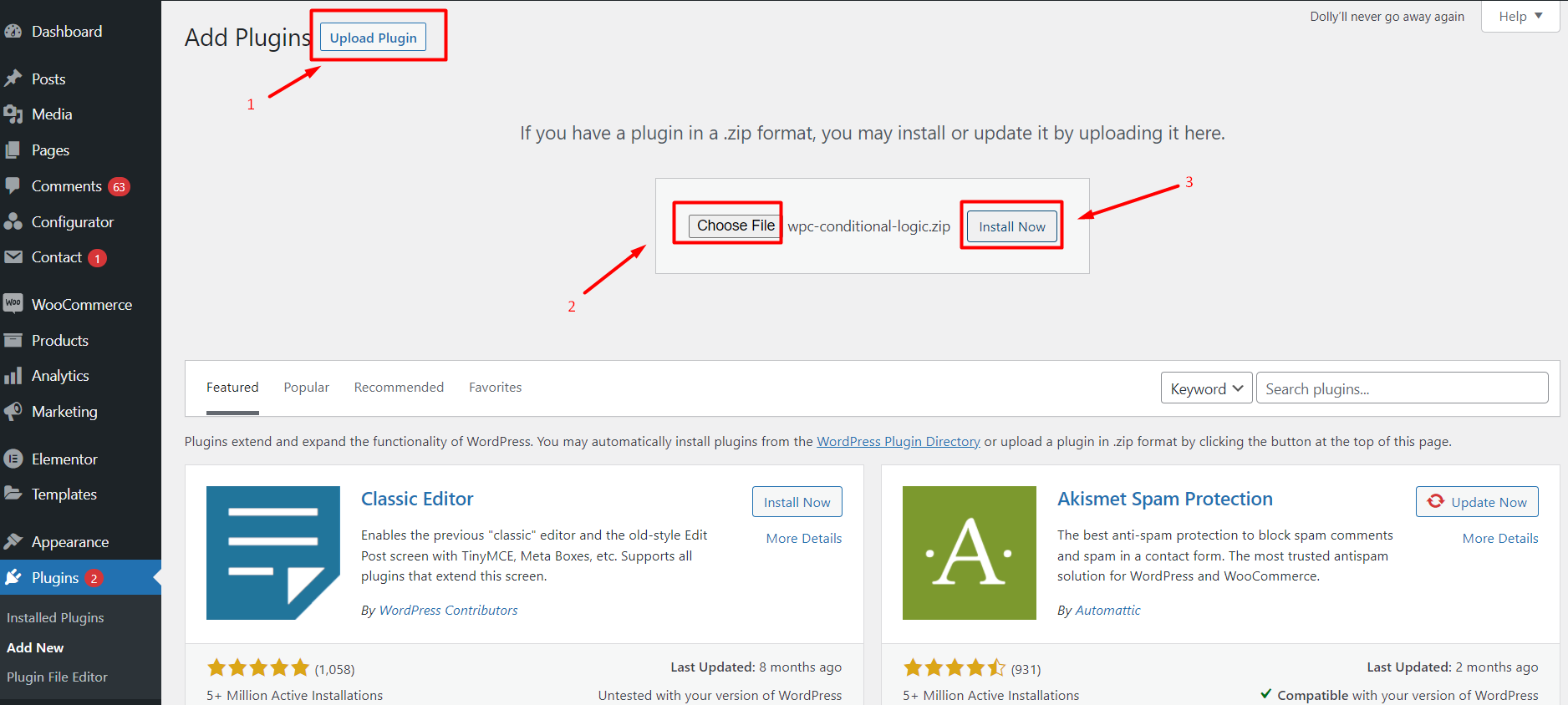
Install the addOn and then activate. After this process, take note that your configurator must be attached to any product on Woocommerce to avoid issues on using the add-on.