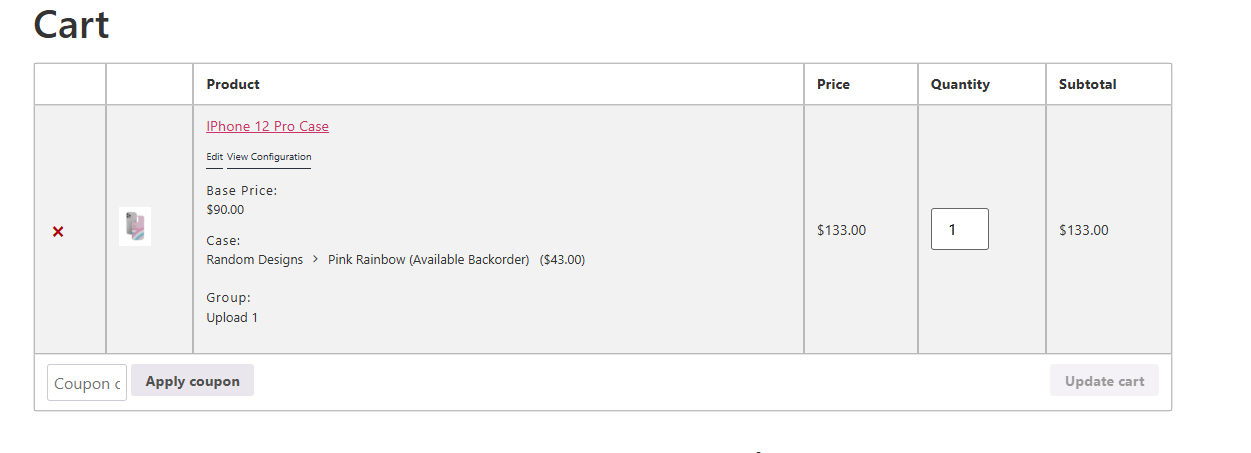
The backorder feature works similarly to WooCommerce backorders. It allows customers to place an order even when an item is currently out of stock, while clearly informing them that the product will be shipped once it is restocked.
Overview
The Allow Backorder feature is useful when:
- You want to continue accepting orders for out-of-stock items
- Products are temporarily unavailable but will be restocked soon
- You want to avoid losing sales due to limited inventory
When enabled, customers can still add the item to cart and proceed to checkout, even if the stock status is set to Out of Stock.
Requirements
Before using the backorder feature, make sure the following is installed and enabled:
- Stock Management Add-on
The backorder option will not be available unless the stock management add-on is active.
How to Enable Backorder
Step 1: Open Your Configurator
- Go to WP Admin → WP Configurator → Configurators
- Open the configurator linked to your product
Step 2: Enable Backorder in Global Settings
- Click the Global Settings (gear icon)
- Scroll down to the Stock Management section
- Enable Backorder
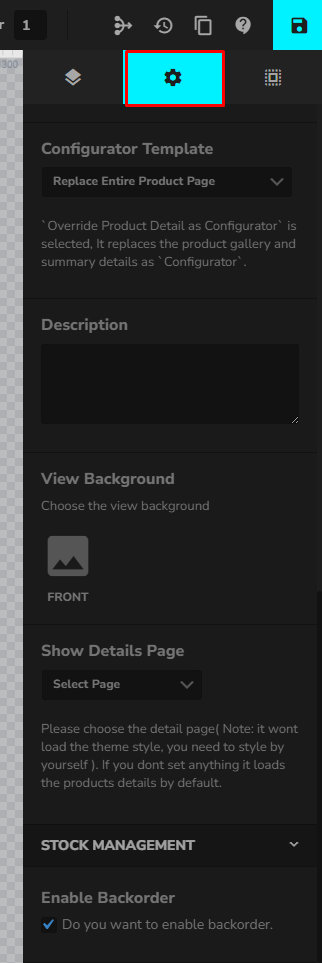
This setting allows backorders to be used across the configurator.
Configure Stock Status per Image Layer
Step 3: Select an Image Layer
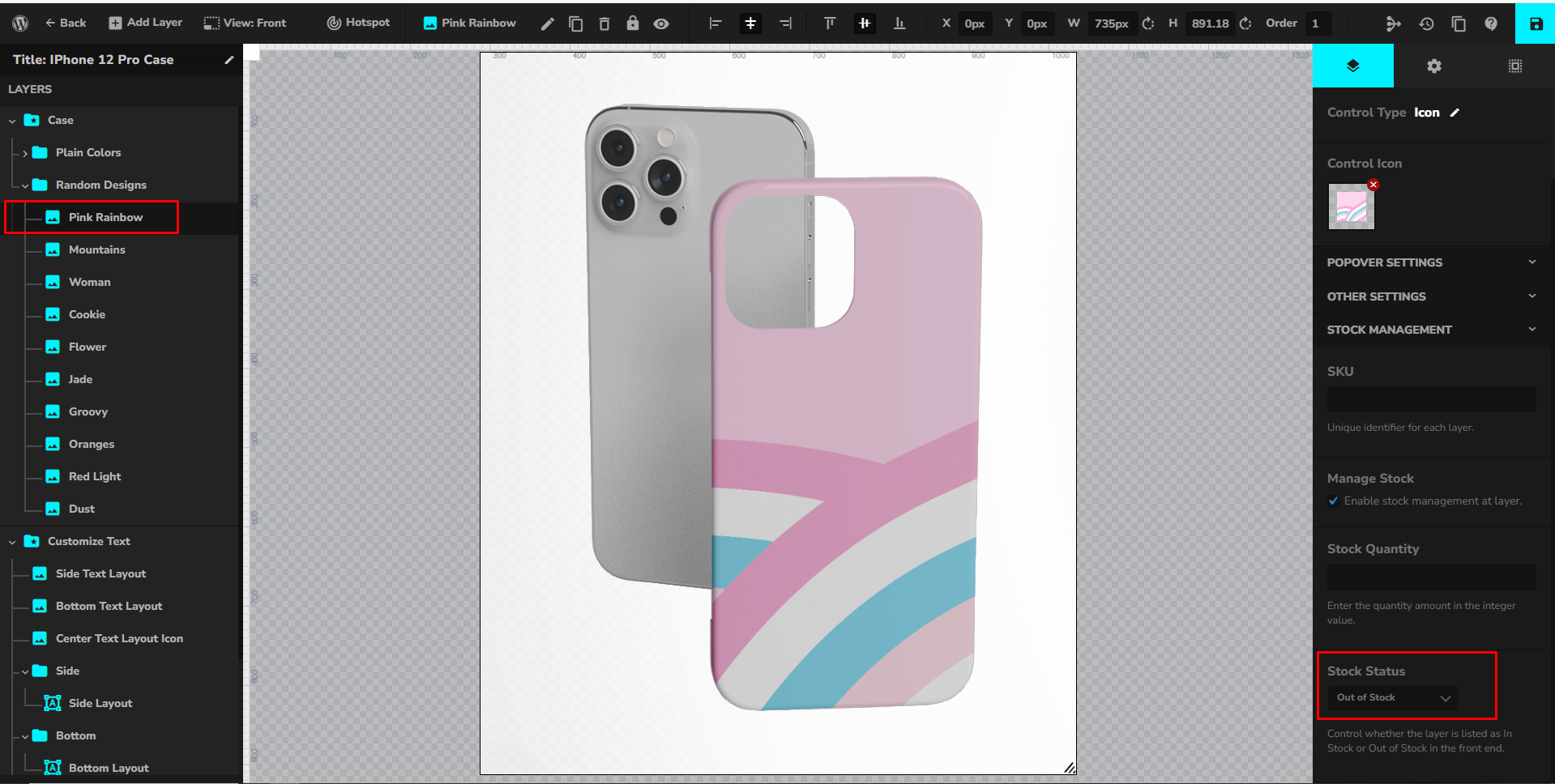
- In the Layers panel, click the image layer or option you want to manage
- Open the Stock Management settings on the right panel
Step 4: Set Stock Status
- Enable Stock Management for the layer
- Set the Stock Status to Out of Stock
Even though the item is marked as out of stock, customers will still be able to proceed with the purchase because backorders are enabled globally.
Front-End Behavior
When backorder is enabled and the layer is out of stock:
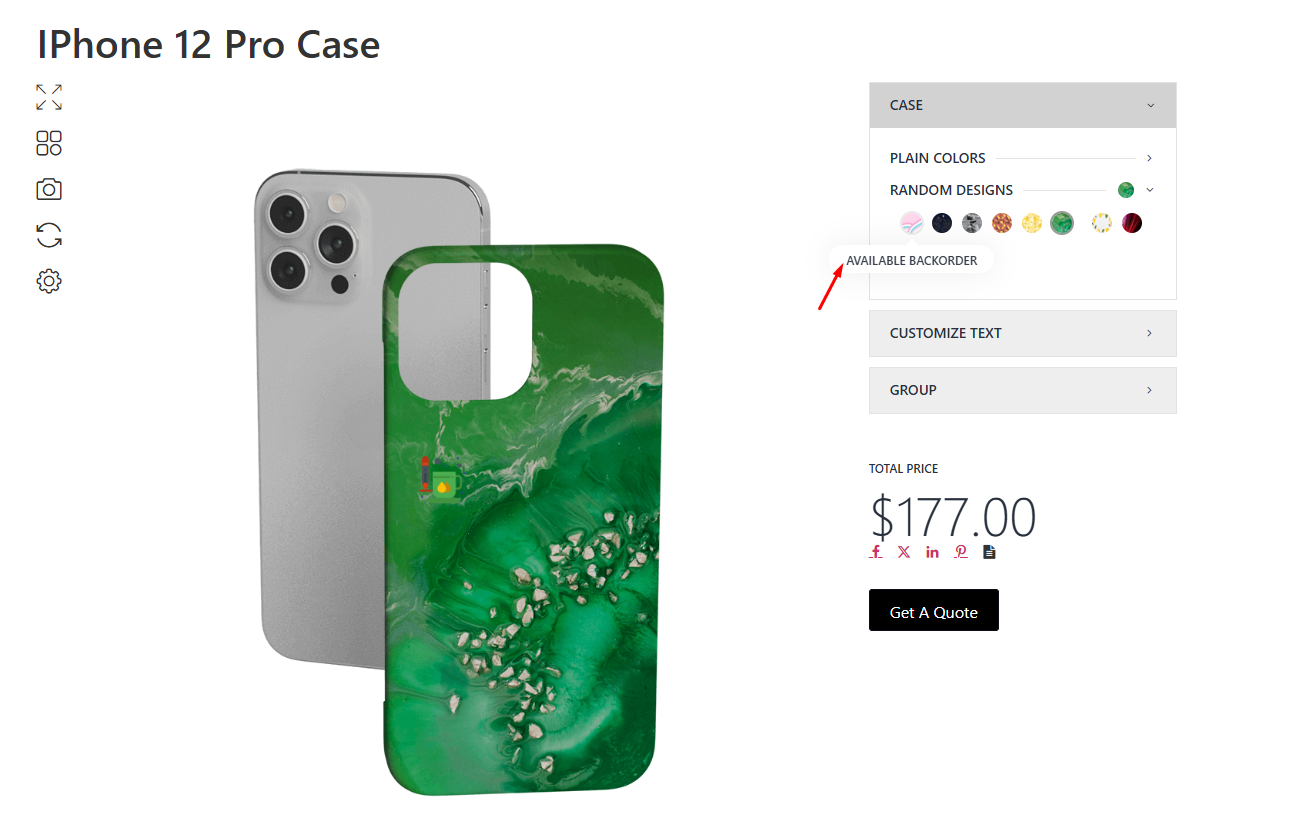
- The option will display a notice such as “Available on Backorder” in the configurator
- Customers can add the product to cart
- Checkout will continue as normal
- The order indicates that the item will be shipped once restocked
Cart & Checkout Display
When a backordered item is added to the cart:
- The selected option is clearly labeled with “(Available Backorder)” in the cart item details
- Pricing behaves normally and is included in the subtotal
- Customers can proceed to checkout without restrictions
This ensures transparency by clearly informing customers that the item is not currently in stock but will be fulfilled once inventory is replenished.